Valence Systems / Infrastructure operations

Understand the infrastructure behind the video.

Valence Systems gives technical and administrative teams a working layer for health review, issue handling, service history, warranties, project estimates, and long-range replacement planning around a security-camera environment.

ObserveCamera, server, uptime, and site-health inputs
ActIssue queues, ticket workflows, service history
PlanWarranty, lifecycle, pricing, projects, budgets
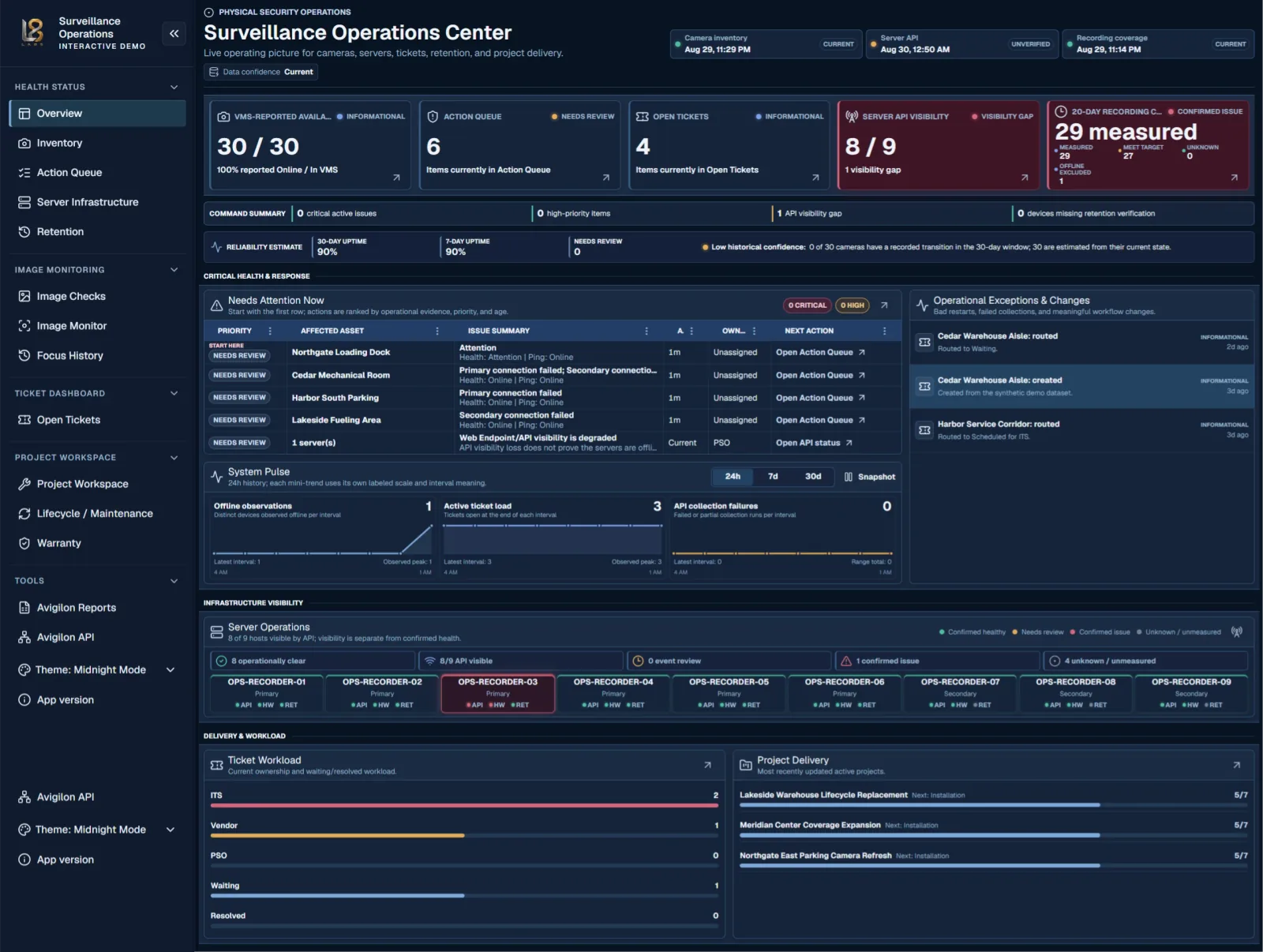
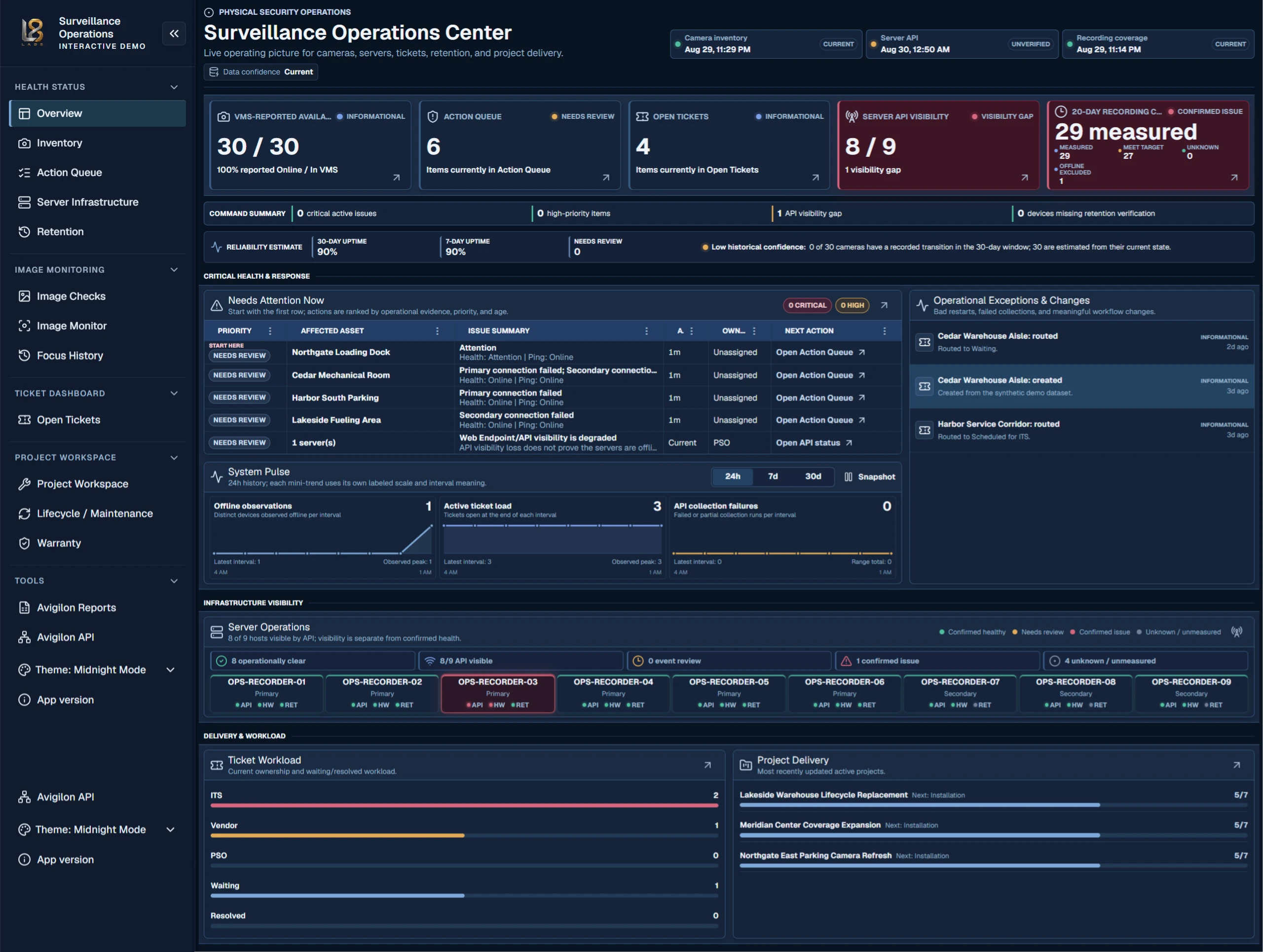
Valence Systems Surveillance Operations Center dashboard
Surveillance Operations CenterProduct interface

Explore the operating system

Start with the problem. Follow the work all the way through.

Valence connects system visibility, issue response, image assurance, and lifecycle planning so infrastructure decisions retain their operational context.

01

See the whole system

Bring camera, server, inventory, reliability, ticket, and project signals into one operating picture.

Surveillance Operations Center

Unified system visibility

Critical infrastructure signals are scattered across tools and teams.

Give operators and leaders one current view of camera availability, server visibility, recording coverage, open work, reliability, and project delivery—without flattening the confidence behind each signal.

What this screen makes possible

  • Identify the exceptions that need attention now
  • Separate confirmed issues from visibility gaps and low-confidence data
  • Connect live health, ticket workload, and active project delivery
01

See the whole system

Bring camera, server, inventory, reliability, ticket, and project signals into one operating picture.

Surveillance Operations Center

Unified system visibility

Critical infrastructure signals are scattered across tools and teams.

Give operators and leaders one current view of camera availability, server visibility, recording coverage, open work, reliability, and project delivery—without flattening the confidence behind each signal.

What this screen makes possible

  • Identify the exceptions that need attention now
  • Separate confirmed issues from visibility gaps and low-confidence data
  • Connect live health, ticket workload, and active project delivery
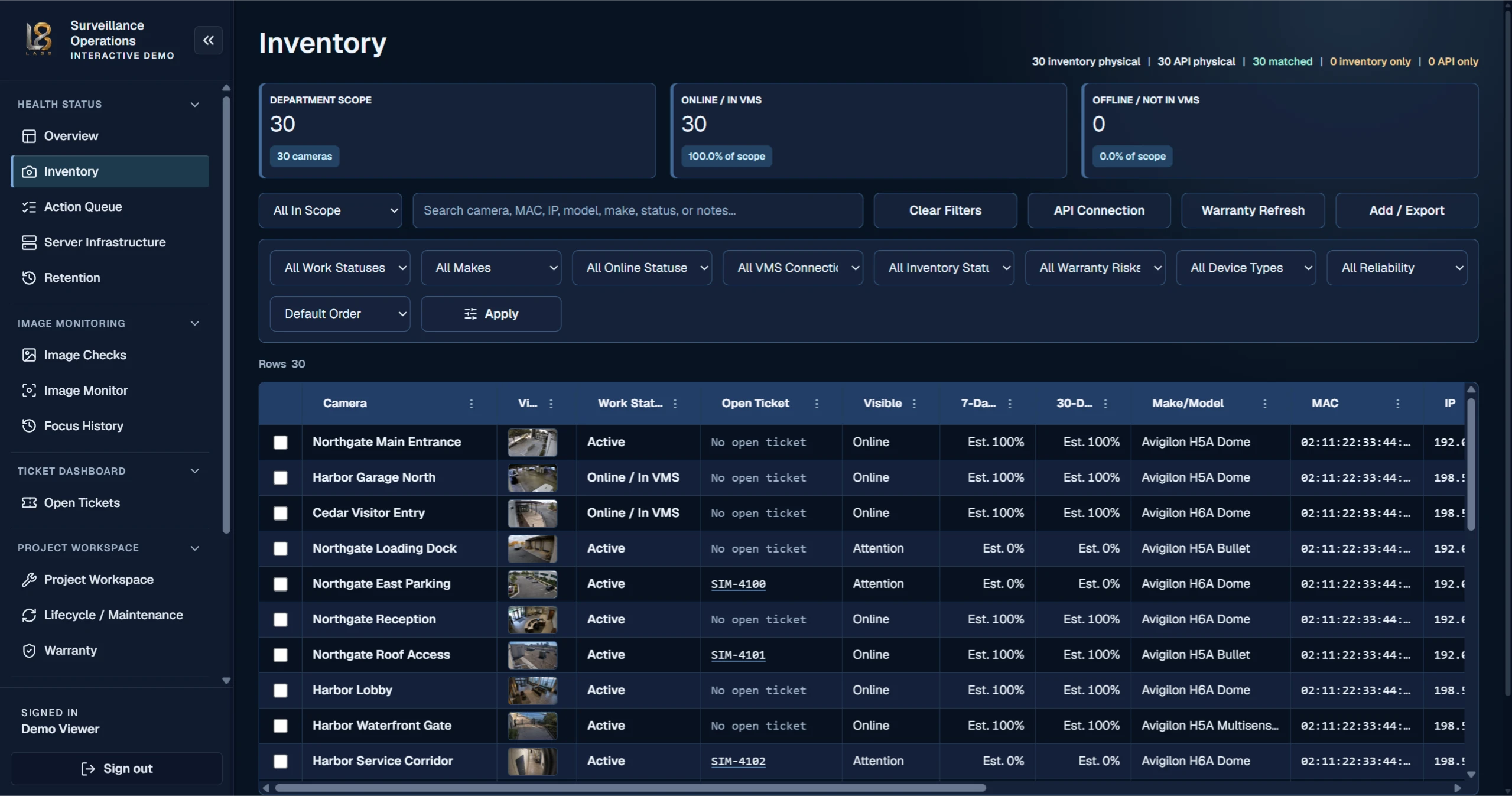
Inventory

Searchable infrastructure inventory

Asset records, live visibility, warranty exposure, and work status rarely agree in one place.

Reconcile physical and API-observed assets, then search and filter the operating inventory by health, work status, warranty risk, device type, model, network identity, and reliability.

What this screen makes possible

  • Compare physical inventory with live system visibility
  • Find assets by operational, technical, and lifecycle context
  • Carry inventory selections into warranty and project workflows

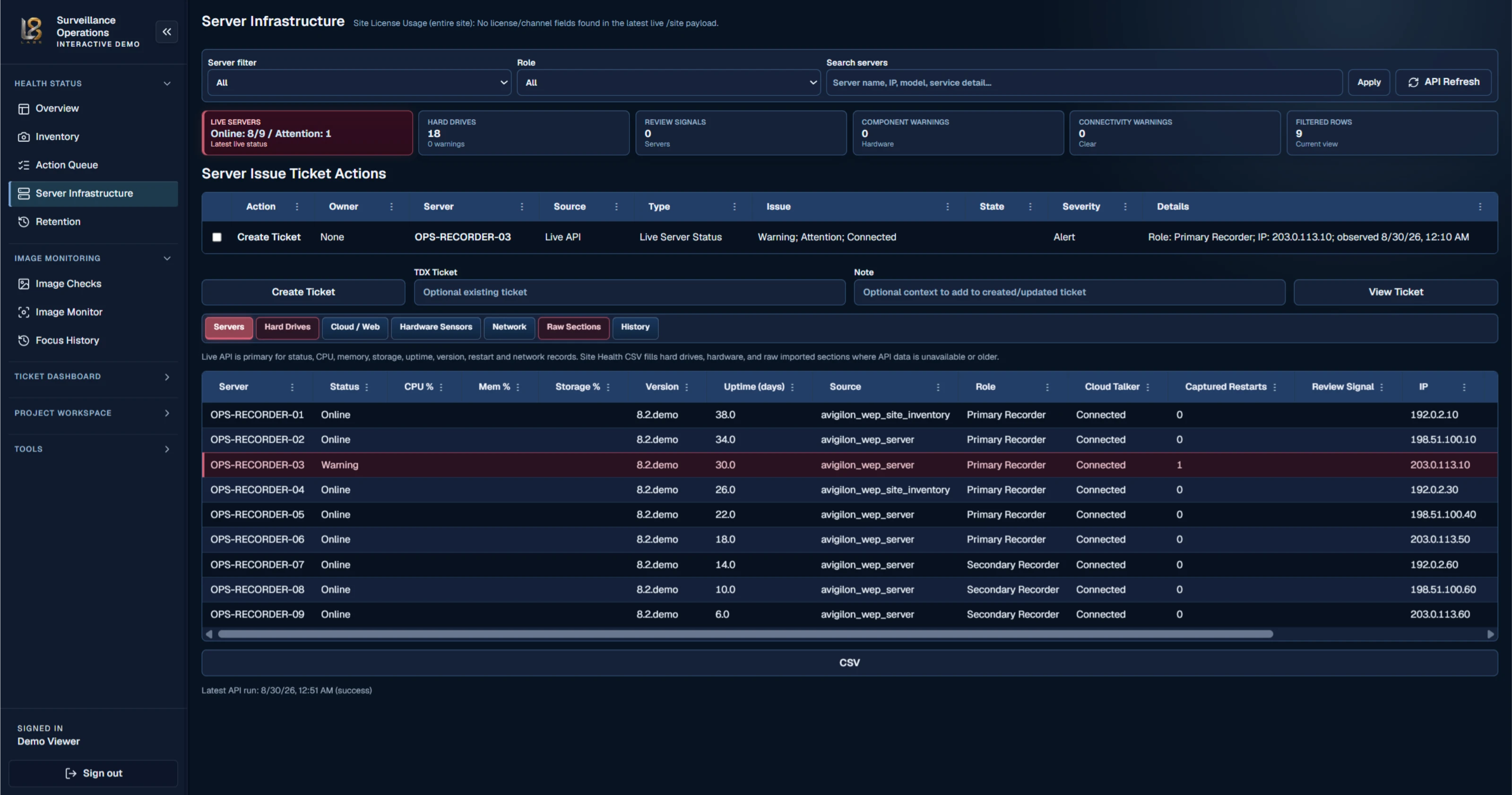
Server Infrastructure

Server health and infrastructure visibility

Recorder and server warnings are difficult to connect to service ownership and next action.

Review live server visibility, role, uptime, software version, storage, connectivity, component warnings, history, and ticket actions from one infrastructure workspace.

What this screen makes possible

  • Separate API visibility from confirmed server health
  • Review recorder roles, uptime, versions, storage, and warning signals
  • Turn a server issue into accountable ticket work
02

Turn issues into accountable work

Move from raw signals to owned action, visible progress, and retained operational context.

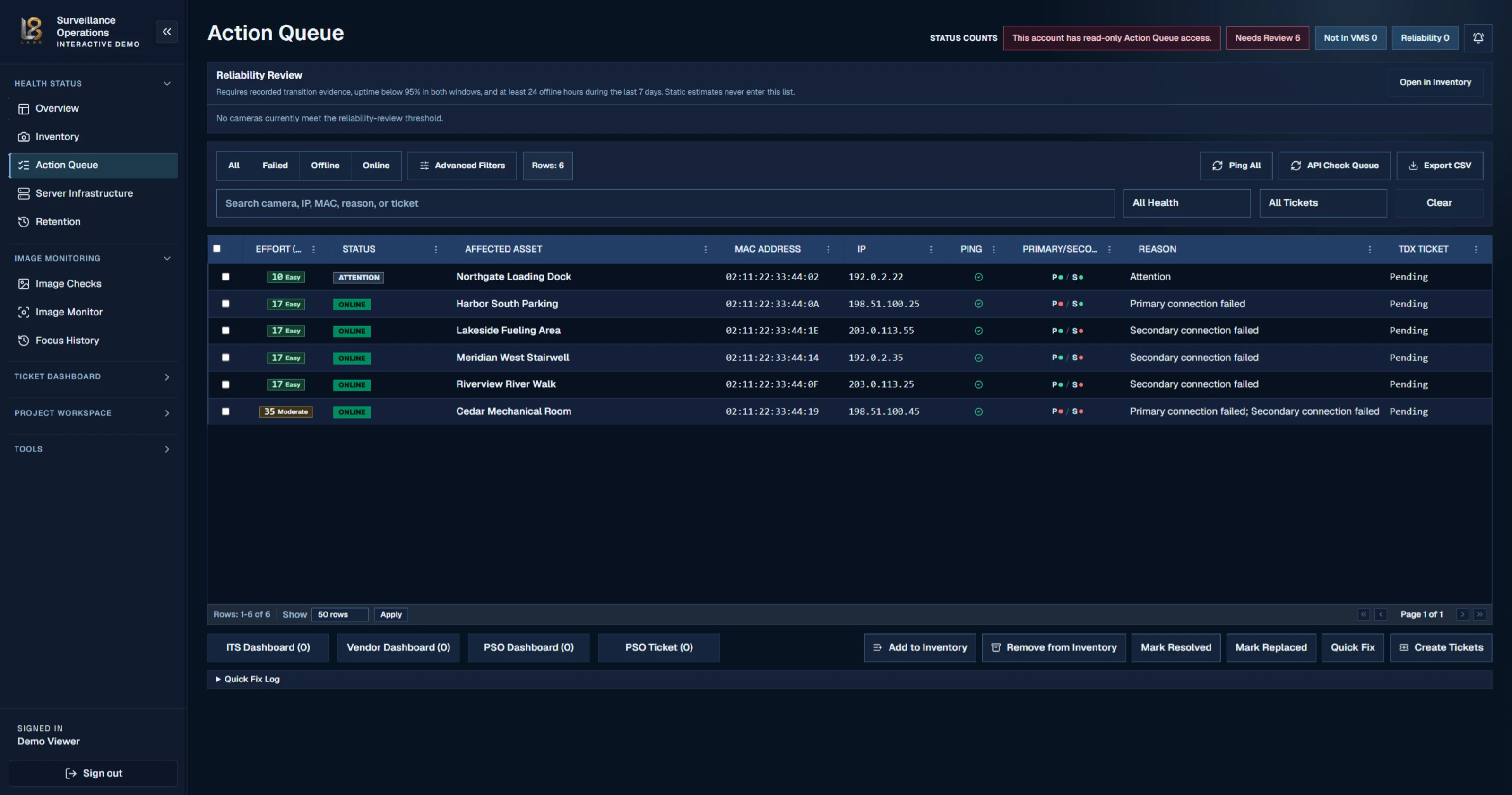
Action Queue

Evidence-based issue triage

Teams spend time repeatedly checking every device instead of working the exceptions.

Focus review on affected assets, connection failures, reliability evidence, existing tickets, and the next action. Filter and export the queue or route selected work into the appropriate response path.

What this screen makes possible

  • Prioritize work by evidence, effort, status, and affected asset
  • Review primary and secondary connection signals together
  • Resolve, replace, quick-fix, export, or create tracked work

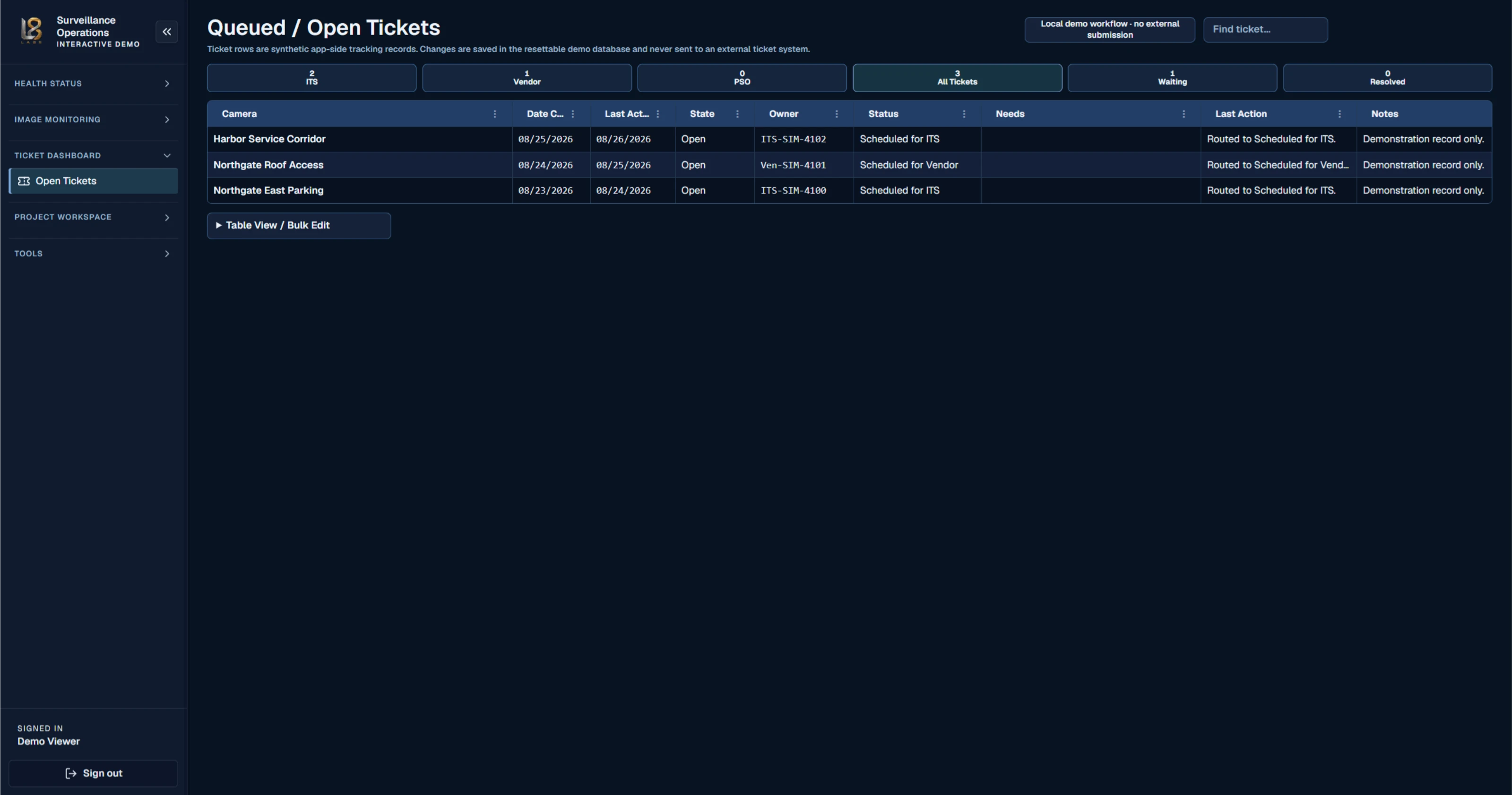
Queued / Open Tickets

Ticket ownership and progress visibility

Issue ownership, status, next need, and the last action can disappear between teams.

Keep local tracked work visible by owner, status, need, last action, and notes so operational context survives the handoff from detection to resolution.

What this screen makes possible

  • See open work by internal team, vendor, or service owner
  • Retain the latest need, status, and action for each affected camera
  • Review and bulk-edit the local demonstration workflow
03

Protect image usefulness

Find degraded, changed, blocked, or missing views before an incident exposes the gap.

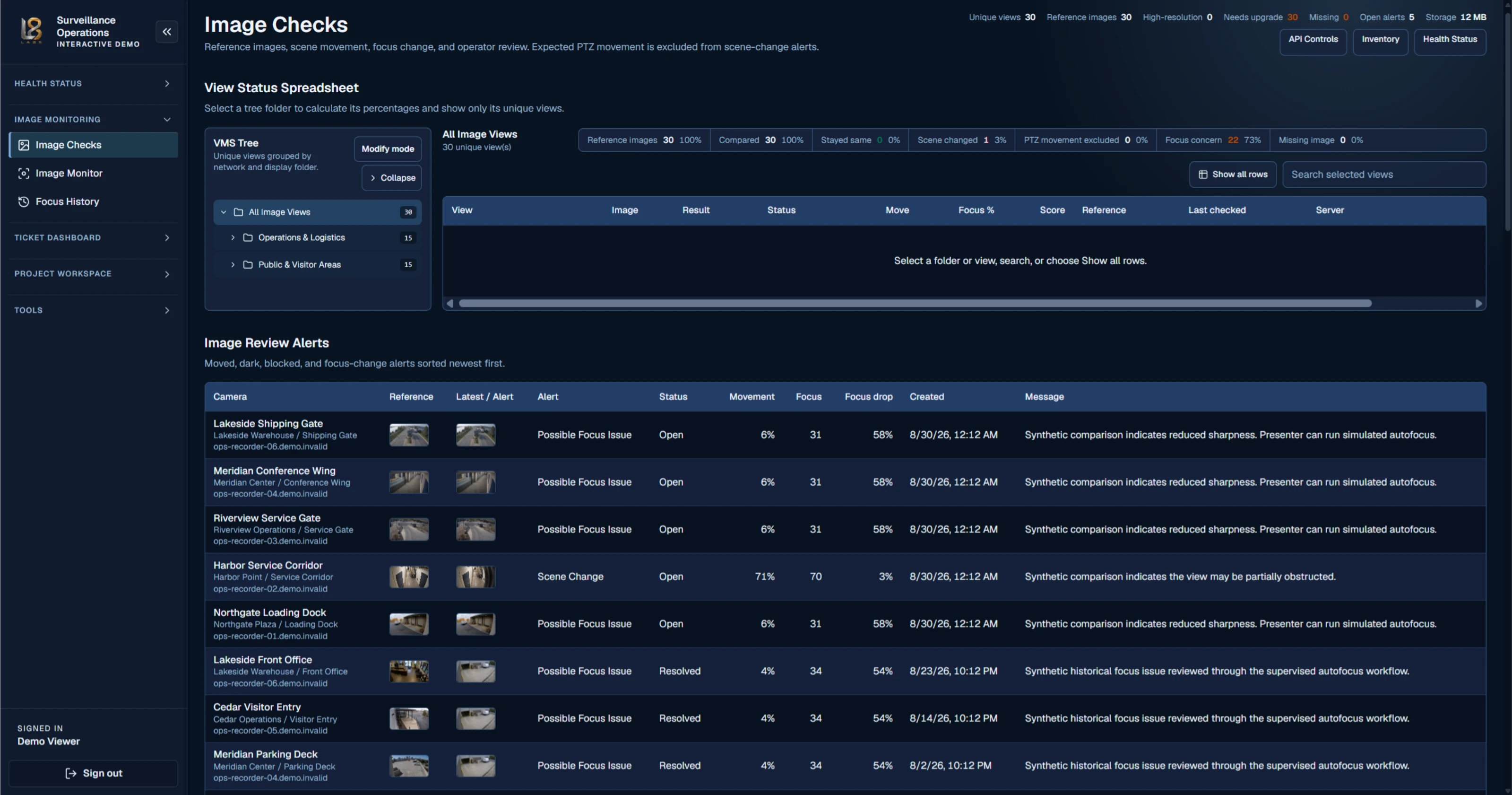
Image Checks

Reference-image and scene review

A camera can report online while its view has moved, blurred, darkened, or become obstructed.

Organize unique views, compare reference and latest imagery, and review movement, obstruction, missing-image, and focus alerts with their history and operational status.

What this screen makes possible

  • Review scene and focus changes without checking every camera manually
  • Exclude expected PTZ movement from scene-change review
  • Retain open and resolved image-quality evidence

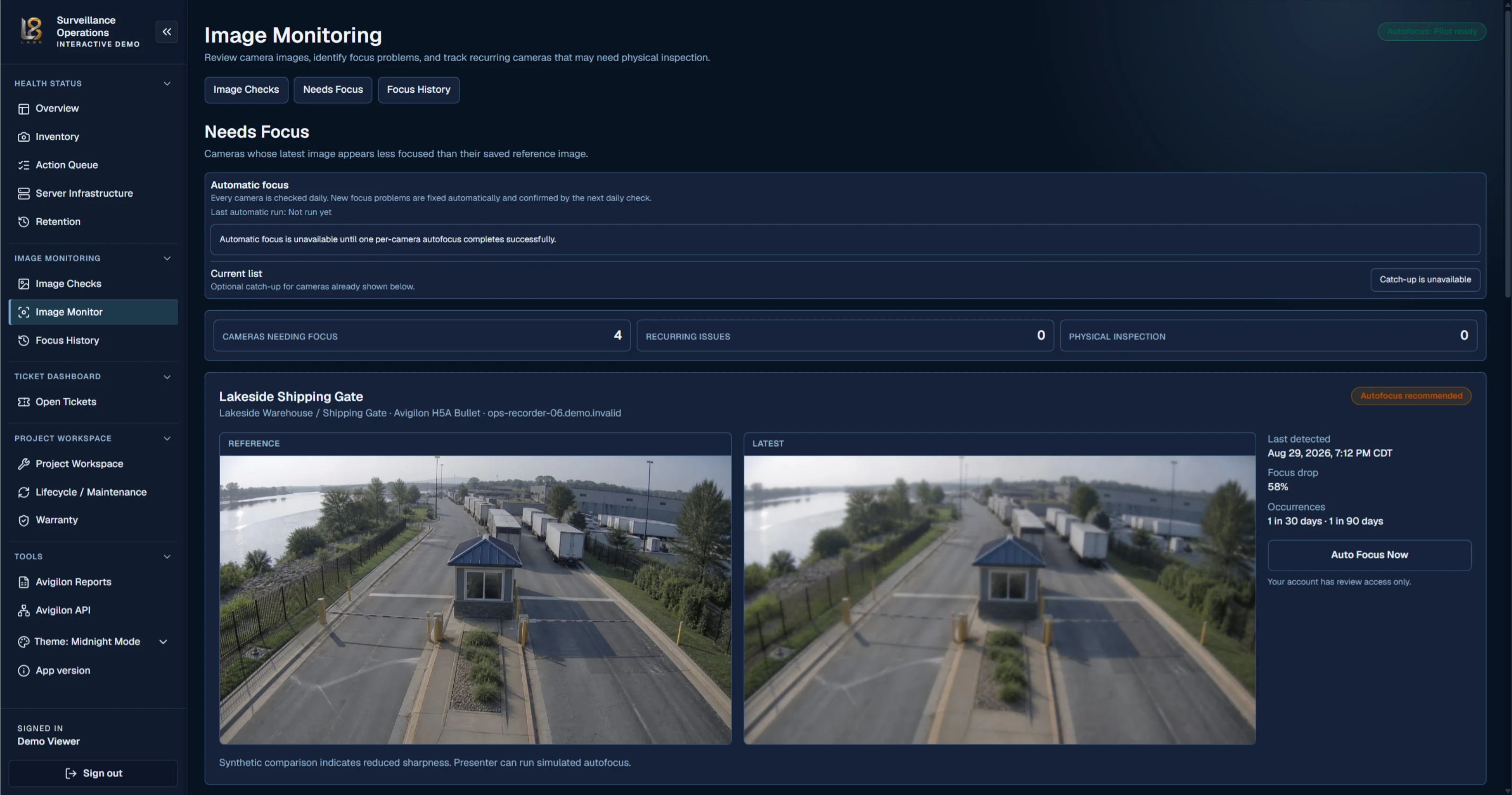
Image Monitoring

Focus degradation workflow

Slow image degradation can remain invisible until footage is needed most.

Compare current and reference imagery, identify focus loss and recurrence, and distinguish items that require review from those that require physical inspection.

What this screen makes possible

  • See reference and degraded imagery side by side
  • Track focus drop, detection time, and recurrence
  • Escalate persistent image problems for physical inspection
04

Plan lifecycle investment

Turn warranty, age, standards, project scope, and funding responsibility into a defensible replacement plan.

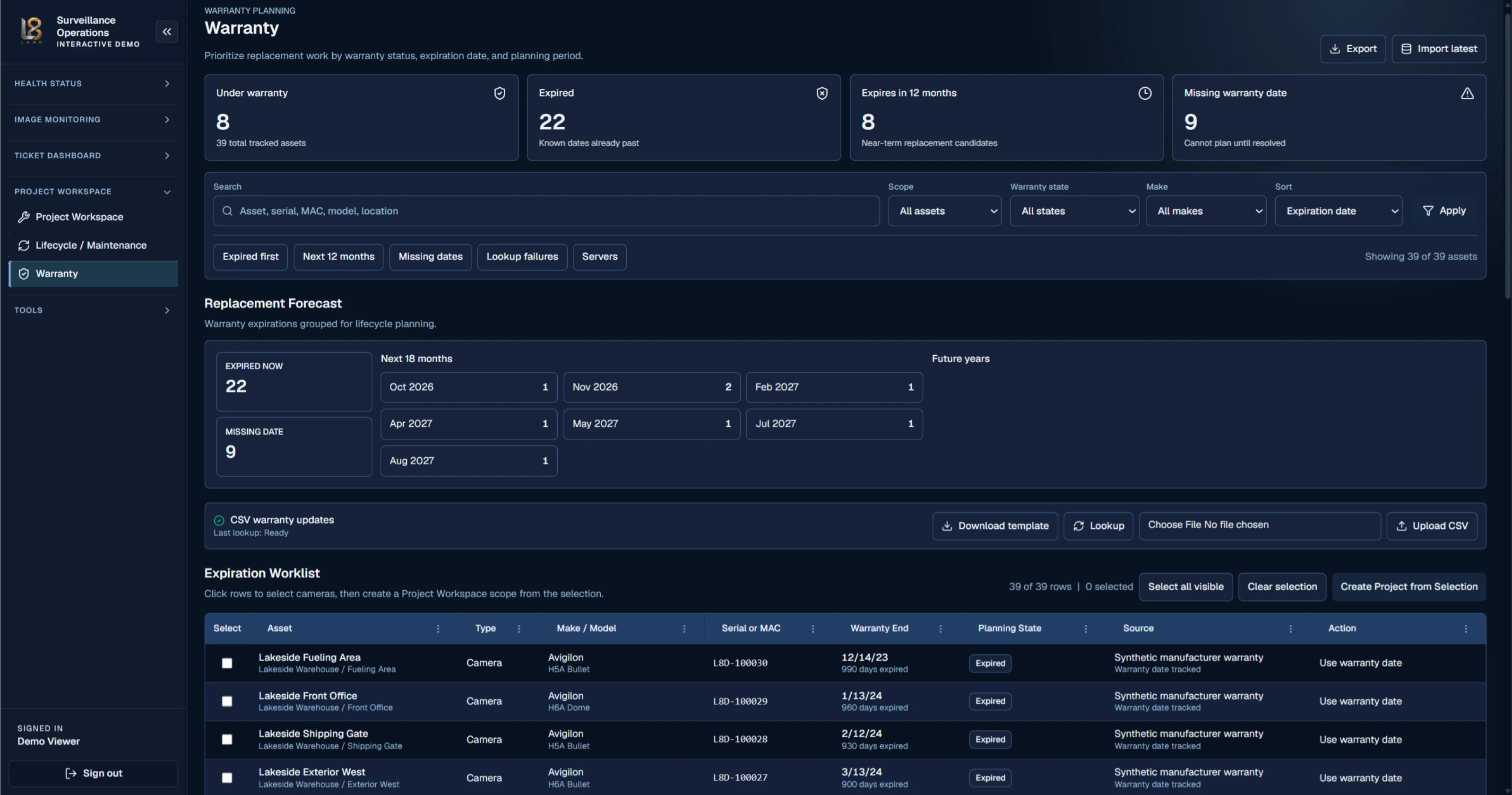
Warranty

Warranty risk and replacement timing

Expired, near-term, and missing warranty dates are difficult to translate into planned work.

Prioritize replacement work by warranty state and planning period, resolve missing dates, maintain CSV workflows, and turn selected assets into a controlled project scope.

What this screen makes possible

  • Expose expired, near-term, and unknown warranty coverage
  • Build an expiration worklist around a planning horizon
  • Create project scope directly from selected infrastructure

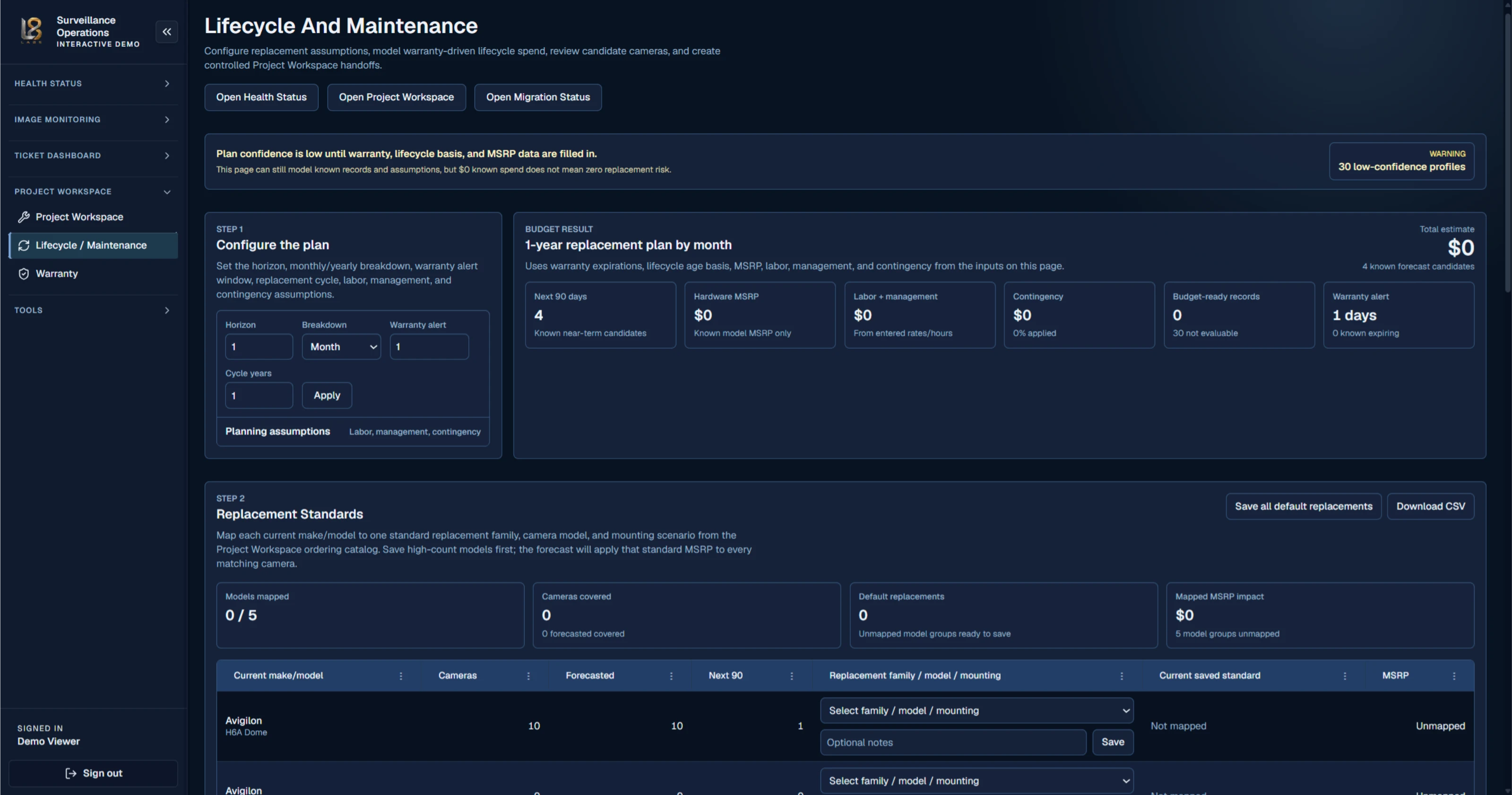
Lifecycle and Maintenance

Replacement and maintenance planning

Long-range replacement conversations fail when assumptions, standards, prices, and data confidence stay implicit.

Configure the planning horizon and replacement assumptions, map equipment standards, expose incomplete records, and model known lifecycle and maintenance demand without hiding low-confidence data.

What this screen makes possible

  • Make planning assumptions and confidence visible
  • Map current models to replacement families and standards
  • Build a time-phased replacement forecast with cost inputs

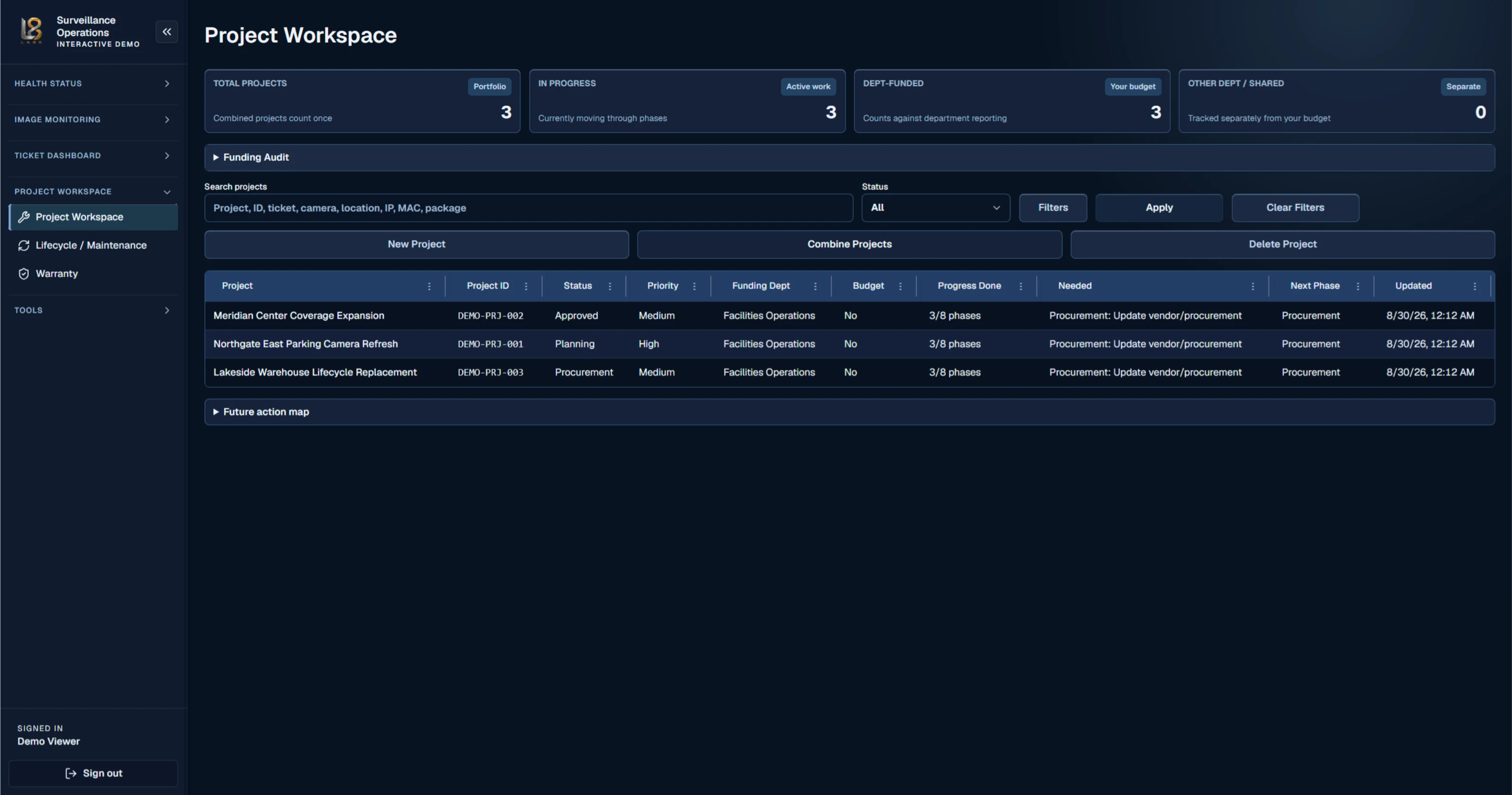
Project Workspace

Camera project delivery

New and replacement work loses momentum when scope, funding, status, and the next phase live in separate records.

Track the portfolio of new and replacement camera projects with funding responsibility, priority, budget treatment, phase progress, remaining needs, and the next accountable step.

What this screen makes possible

  • See portfolio, active-work, and funding totals together
  • Track project phase, progress, priority, and next need
  • Combine related work without losing project history

What changes

Move from reactive device checks to managed infrastructure history.

01

Find the exceptions

Turn health inputs and inventory context into a focused action queue instead of repeatedly checking every device by hand.

02

Carry an issue through resolution

Retain status changes, notes, service activity, and the operational story around a failed or declining component.

03

Keep inventory and warranty context together

Connect model, serial, site, role, warranty status, maintenance, and relevant technical documentation.

04

Model the next project

Organize components, current pricing, packages, estimates, and planned work without rebuilding each proposal from scratch.

05

Make lifecycle exposure visible

Translate age, warranty, reliability, and replacement assumptions into a defensible multi-year planning conversation.

Clear system boundaries

Built to coordinate, not overclaim.

Valence Systems complements the operational and lifecycle work around a video-security environment. It does not replace the VMS, native camera control, or manufacturer support platform.

Valence Systems is an independent operational management product and is not manufactured, endorsed, or officially affiliated with Motorola Solutions or Avigilon.

Deployment, integration, and security claims are confirmed during product consultation.

See the workflow

A demonstration should look like your operation.

Tell us what you coordinate today and where visibility breaks down.

Discuss Valence Systems